Problem: Mahakala Music, a music label known for publishing “aggressively beautiful art music” and uniting musicians from diverse backgrounds, faced a challenge in designing a website. They required a website that not only mirrored the contemporary and artistic essence of their label but also resonated with the creative and unconventional spirit of their music.
Solution: To address this, a website design was conceptualized to complement and enhance Mahakala Music's unique brand identity. The design process began with the existing color palette of their logo, ensuring brand consistency. The website was structured to showcase their music catalog effectively while reinforcing their brand's artistic flair. Strategic placement of red elements at the top of the page was employed to capture the energy and dynamism of the label, guiding viewers' attention through the site.
The overall design adopted a modern, artistic approach, characterized by bold typography and a striking color scheme dominated by red, black, and muted blue. This combination, along with a textured background, created an edgy and engaging aesthetic that aptly reflected the cutting-edge nature of Mahakala Music. The design's careful balance of boldness and subtlety ensured that the website was not only a visual extension of their music label but also an engaging digital experience for their audience.
Problem: The JAX MIX program at JSU, a signature general education initiative, required an engaging and informative interactive presentation to highlight its unique educational approach. The challenge was to visually and interactively convey the program's dynamic nature, which aids students in discovering knowledge, engaging with impactful practices, and achieving academic and career success. The program's flexibility in allowing students to individualize course selections and earn microcredentials needed to be effectively communicated to ensure understanding and enthusiasm among the student body.
Solution: To address this challenge, the main focus was on developing an interactive presentation that encapsulated the essence of the Jax MIX program. The presentation was designed to be student-centric, offering a clear, visually appealing journey through the program’s offerings. It allowed students to explore the various aspects of the program, including the ability to individualize course selections and the process of earning microcredentials.
The presentation utilized interactive elements such as badges, paths, and color-coded categories to make the exploration intuitive and engaging. Each General Education group was assigned a unique symbol and color, simplifying the process of identifying and understanding the various educational paths available. By selecting different categories, students could view related courses and badges, visually mapping their potential academic journey.
Additionally, the supplementary task of creating a logo for the "Connections" project was undertaken. The logo was designed to be versatile, aligning with the interactive nature of the presentation while being adaptable for use across various media, including web, print, and merchandise. This cohesive visual identity reinforced the Jax MIX program’s innovative approach to education.
Overall, the interactive presentation, supported by the supplementary logo design, provided a comprehensive and engaging platform for students to understand and navigate the Jax MIX program. This solution not only showcased the program's unique features but also encouraged student participation and excitement about their educational journey at JSU.
Problem: The landscape of Southern United States storytelling lacked a platform for narratives that were both authentically Southern and contemporarily inclusive. Traditional storytelling methods and podcasts often lacked the authenticity and informality found in tales shared among friends. Audiences were seeking storytelling that was both deeply rooted in Southern tradition and reflective of a modern, inclusive mindset. This gap underscored the need for a new kind of storytelling medium, one that captured the essence of spontaneous, back porch conversations while embracing a broader, more progressive perspective.
Solution: To address this need, The Strange South LLC introduced a podcast that epitomizes the spirit of back porch storytelling. This podcast brings to life an array of Southern tales, events, people, and lore through an unscripted, conversational format, mirroring the experience of friends gathered on a back porch, around a campfire, or kitchen table, immersed in stories. By intertwining traditional Southern narratives with a progressive and inclusive approach, the podcast offers a fresh, relatable perspective to a diverse audience. It hopes to bridge the gap between classic Southern storytelling and the contemporary desire for authenticity and inclusivity, creating a unique and engaging listening experience that resonates with the modern ethos while staying true to its Southern roots.
Problem: The challenge was to produce an educational yet engaging short how-to video for kids, teaching them the proper way to wash their hands. It needed to be visually captivating to retain the attention of a young audience and informative enough to convey the handwashing steps clearly. The video required a creative approach to make the routine process of handwashing interesting and memorable for children.
Solution: To tackle this, I created a short how-to video using After Effects, Premiere Pro, and Audition to combine dynamic camera angles and type elements resembling soap bubbles. The use of engaging visuals and interesting angles made the video lively and captivating for kids. By integrating these creative elements, the handwashing steps were presented in a fun and understandable way, ensuring that the message was both enjoyable and educational for the young audience. This approach effectively taught children the importance of handwashing in an entertaining and memorable format.
Problem: The challenge was to create an engaging and educational short video for kids on the proper technique for brushing teeth. It needed to be visually appealing to hold the attention of a young audience and informative enough to clearly demonstrate effective brushing habits. The video required a creative and entertaining approach to make the routine task of brushing teeth interesting and memorable for children, ensuring they understand and adopt good dental hygiene practices.
Solution: To address this, I produced a short how-to video for brushing teeth, employing the same dynamic style as the handwashing video. Using After Effects, Premiere Pro, and Audition, I incorporated playful type elements and lively camera movements to create an engaging and fun experience. The video used clear, step-by-step instructions paired with appealing visuals to make the process of brushing teeth enjoyable and easy to remember for kids. By transforming dental hygiene into an entertaining activity, the video effectively encouraged children to practice and maintain good brushing habits.
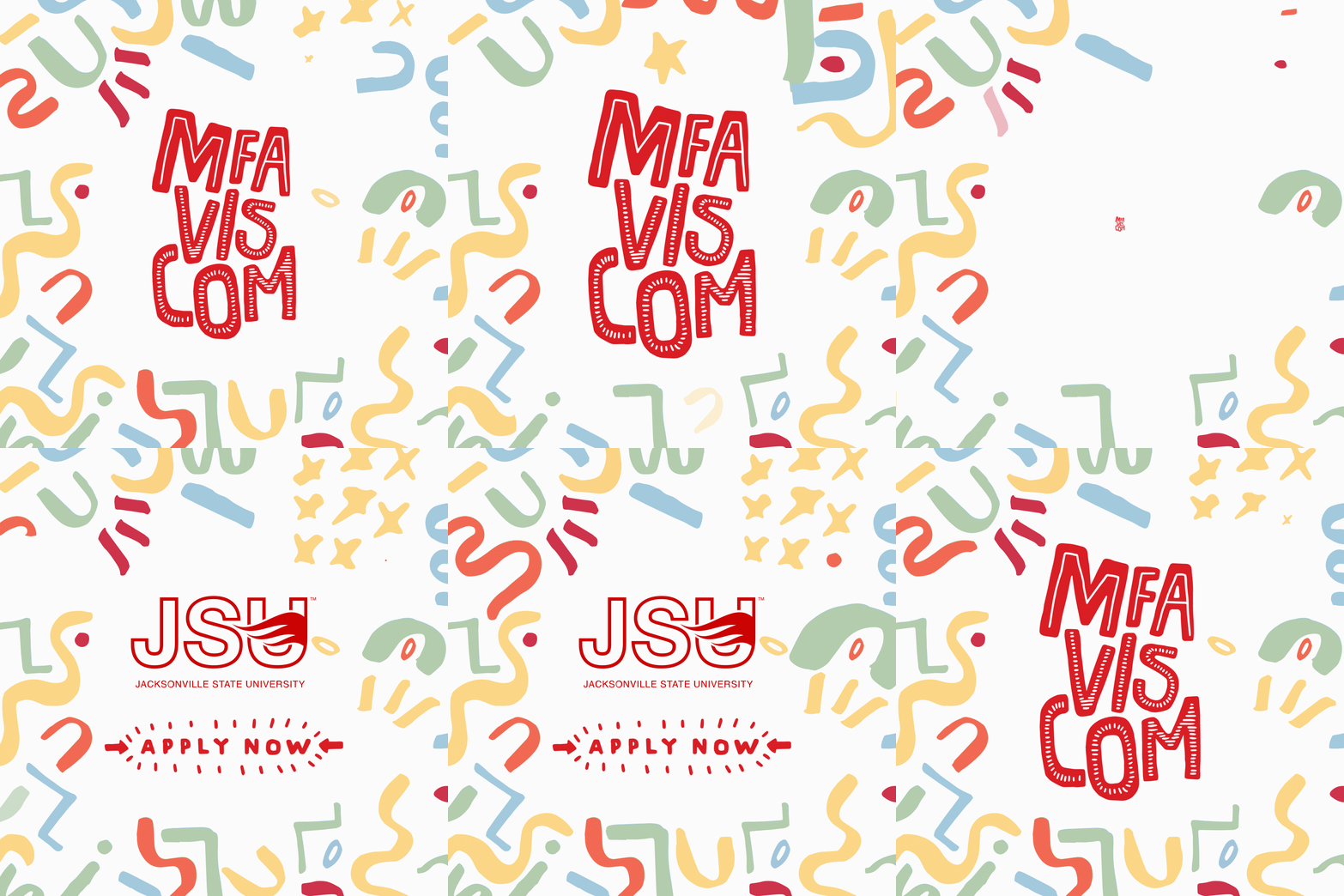
Problem: Needed to create a concise yet engaging 6-second animated ad for Jacksonville State University’s MFA Visual Communication program, using existing design assets to attract prospective students.
Solution: Employed After Effects to animate Art + Design faculty's assets into a vibrant, inviting ad featuring fun squiggles and colors, effectively highlighting the program's creativity and encouraging viewer engagement in just 6 seconds.
Problem:
Elementary students with processing disorders face unique challenges in understanding logical sequencing and executive functioning, skills vital for their academic and everyday lives. Traditional educational tools often fall short in engaging these students and addressing their specific needs for learning and decision-making.
Solution:
"Before and After" is a specially designed app that caters to the learning styles of students with processing disorders. Through interactive and choice-based activities, it gently guides users through the concepts of logical sequencing and prioritizing. Each activity is tailored to help these students visualize and process the sequence of events and consequences, enhancing their executive functioning in a supportive and engaging manner. Published in the Apple App Store, this app is a testament to its effectiveness and commitment to helping students with unique learning challenges.
Problem: The main challenge in creating the Design Prep website was to provide an educational resource that effectively communicated the diverse possibilities of a career in graphic design. The website needed to be more than just informative; it had to engage and inspire its audience, primarily composed of individuals interested in exploring graphic design. The goal was to curate and produce content that was both educational and relatable, showcasing real-life experiences and insights from the field.
Solution: To address this challenge, the Design Prep website was developed as a component of an MFA thesis project. The site featured a unique blend of curated videos from experienced mentors in the field (“Hijacked Mentors”) and self-produced videos depicting a day in the life of everyday graphic designers. This mix provided a comprehensive view of the graphic design profession, from theoretical knowledge to practical, day-to-day experiences.
The website's design and structure were tailored to enhance user engagement, with an intuitive layout that made navigating through different educational resources straightforward. The "Day in the Life" videos offered a candid, behind-the-scenes look at the graphic design profession, giving viewers a realistic perspective of the day-to-day activities of designers. Meanwhile, the "Hijacked Mentors" section provided valuable insights and advice from seasoned professionals, further enriching the learning experience.
This solution effectively bridged the gap between theoretical knowledge and practical application, offering a rich, multifaceted educational resource for anyone interested in the field of graphic design. The Design Prep website successfully fulfilled its mission to inform its audience about the wide range of possibilities in a graphic design career, doing so in an engaging and accessible manner.
Problem:
The production of "Bloody Bloody Andrew Jackson" I worked on necessitated numerous projections to depict the play's varied scenes and locations, presenting challenges in managing a vast amount of imagery, adapting to a unique projection screen, and coordinating interactions between the projections and live actors.
Solution:
A strategic plan was executed to manage the extensive projections, utilizing advanced mapping software for the unique screen and rigorous rehearsals to ensure seamless actor and projection synchronization, successfully bringing the diverse settings of the play to life.
Problem:
The challenge was to retell "How Anansi Got His Thin Legs" engagingly and creatively using simple materials like paper, string, dowels, and light.
Solution:
Developed a shadow puppetry presentation that brought the story to life in a visually intriguing way, effectively engaging the audience with the fable using basic, yet imaginative, materials. The project's success culminated in recognition as Best in Video at the Glitch: National Juried Design Competition
Problem: Brent Funderburk is a renowned master watercolorist and emeritus professor from Misssissippi State University. He needed a website that would showcase his extensive career and art and post new work, exhibitions and publications of his work.
Solution: In response to this challenge, a website was designed to serve as a virtual extension of Brent Funderburk's artistic journey. The layout was crafted to prominently feature his watercolor pieces, with dedicated sections for showcasing both current and past works. The design emphasized simplicity and elegance, allowing Funderburk's vibrant watercolors to take center stage. Navigation was streamlined to ensure that visitors could easily access new updates, exhibition details, and publications related to his work.
Interactive elements were incorporated to enhance user engagement, such as a gallery feature where visitors could view artworks in detail. The website was also optimized to regularly update content, ensuring that Funderburk's latest creations and achievements were promptly and beautifully displayed. Through this website, Brent Funderburk's art was not only made accessible to a broader audience but was presented in a manner that mirrored the elegance and emotion of his watercolor masterpieces.
Problem: Feral Pottery Co., based in Nashville, TN, faced the challenge of developing a distinct and memorable brand for their online presence and social media. They needed a branding strategy that captured the natural, earthy essence of their pottery, with a logo design versatile enough for various applications and sizes.
Solution: To meet this need, I focused on Feral Pottery Co.'s most popular item, the ceramic mushrooms, as a central theme for the branding. This inspired the creation of logo concepts that incorporated mushroom motifs, symbolizing the natural inspiration behind their products. The color palette was selected to reflect the earthy tones of their pottery, with dark greens and browns dominating the scheme. The resulting logo designs offered a balance between artisanal appeal and clear, functional design, ensuring the brand's unique character was effectively communicated. This approach led to the selection of a logo that accurately represented Feral Pottery Co.'s vision and resonated with their target audience.
Problem: For the Surrealism coloring book workshop at JSU's Gamecock Arts Summer Program (GASP), the challenge was to effectively plan and organize an enriching and educational art experience for high school students. The workshop needed to not only teach art history and techniques related to Surrealism but also manage the logistical aspects efficiently. Additionally, the workshop aimed to create a tangible output that students could take home, adding a layer of complexity to the planning process.
Solution: To tackle these challenges, AI technology was utilized to streamline the planning and organization of the Surrealism coloring book workshop. AI tools assisted in creating an efficient workflow, managing changes in scheduling, and organizing tasks. This allowed for a more focused approach to the educational content, including a brief art history unit on Surrealism and an automatism exercise.
The students' artworks, inspired by automatic writing and Surrealist techniques, were compiled into a book using the university's print shop, providing a unique takeaway for the participants. Furthermore, AI helped enhance the workshop's educational materials by identifying key art terms and generating a glossary, ensuring that all students, regardless of their prior art knowledge, could engage fully with the content.
Overall, integrating AI into the workshop planning and execution proved successful, enhancing the students' educational experience and showcasing AI's potential to streamline creative and educational projects.
Problem: The challenge in publishing "NostalgTHIS! Preserving Memories Through Patterns" was to find a platform that would effectively convey the book's unique concept—a creative guide for pattern-making based on personal nostalgia. The book needed to reach an audience interested in both arts and crafts and personal storytelling. It required a publisher or platform that appreciated its blend of how-to guides, memory prompts, and narrative design, recognizing its potential to connect with readers seeking a creative outlet for their nostalgia.
Solution: To address this challenge, a comprehensive book pitch was created, highlighting the unique aspects of "NostalgTHIS!" The pitch showcased the book's ability to guide readers in creating meaningful and narrative designs through a fun and innovative approach to pattern-making. It emphasized how the book uses memory prompts to unlock creative potential, making it an appealing choice for publishers focusing on arts, crafts, and personal development genres.
The solution also involved presenting the book in a visually appealing manner, demonstrating its content and layout, which was tailored to inspire creativity and nostalgia. This approach aimed to attract publishers who were interested in innovative, creative books that offered more than just instructions – a book that provided an experience of self-exploration and artistic expression through the lens of personal memories. The pitch was designed to showcase the potential of "NostalgTHIS!" to create a new niche in the arts and crafts book market, appealing to a broad audience of crafters, artists, and anyone looking to creatively explore their past.
Problem:
There's a need for an engaging, educational resource that introduces young children to the concept of graphic design, particularly highlighting the role of women in this creative profession. Traditional career storybooks often overlook niche professions like graphic design, especially from a female perspective, leaving a gap in early career education and representation.
Solution:
The proposed solution is an interactive storybook app called "My Mother is a Graphic Designer." This app will cater to a young audience, using simple, engaging narratives and interactive elements to explain what graphic design is and the role it plays in daily life. By focusing on a female graphic designer, the app aims to inspire and appeal to a creative female audience, showcasing the profession in an accessible and relatable way. It will serve as an educational tool for children to understand and appreciate the creative world of graphic design from an early age.
Problem:
Finding a method to encourage fun and creativity without the fear of needing to achieve perfection, while also remaining entirely digital, posed a significant challenge.
Solution:
The Little Ladies project was initiated as part of the #100days initiative on Instagram, creating a consistent practice of drawing that prioritized regular creative activity over complex outcomes. This approach fostered a commitment to staying creative, observant, and engaged with the art of drawing while alleviating the pressure for perfection. The result was a collection of 100 small, simple drawings that not only enhanced artistic skills but also led to commissions and a newfound enjoyment in consistent creative practice.
Problem:
The international website aimed at cymbal enthusiasts and drummers needed to maintain its position as a longstanding, reliable source of information and community. It faced the challenge of continually engaging a diverse, global audience while keeping content fresh, relevant, and accessible to all levels of drumming enthusiasts, from beginners to professionals.
Solution:
To uphold and enhance its reputation, the website underwent strategic updates to improve user experience and content relevance. It introduced interactive features and forums to foster a sense of community and real-time engagement among members. The content was regularly updated with the latest news, tutorials, and reviews, catering to a wide spectrum of interests and expertise levels. Additionally, the site optimized its design for international accessibility, ensuring a welcoming and user-friendly interface for drummers worldwide. This approach reaffirmed the website's status as a premier information hub and community for cymbal and drumming enthusiasts globally.